
Sift
Thanks! Feedback sent.
Failed to send. Try again?
Take back a LinkedIn worth your time.
Inspiration
LinkedIn is great at surfacing relevant jobs and content. But the experience? Ads everywhere, "Suggested" posts from strangers, reposted job listings, no way to tell if a role sponsors visas without clicking through. Your feed is half noise, and your job search is mostly triage.
Sift exists because the platform is good but the workflow is broken. It cleans up both sides of LinkedIn: your feed and your job search.
Feed Cleanup
Sift automatically hides ads, suggested posts, and recommended content from your LinkedIn feed. One-click Unfollow appears inline on every post — no digging through menus.
- Hide Ads: removes Promoted posts automatically
- Hide Suggested & Recommended: filters non-connection noise
- Hide Strangers: filter posts from non-connections
- One-click Unfollow: appears next to "1st" on posts and interaction headers ("XXX likes this")
- Mute Keyword: right-click any text on LinkedIn to instantly add it to your keyword filter
- Auto-collapse: "You unfollowed X" confirmation cards collapse automatically
- Hide Sidebar: remove LinkedIn News and footer clutter
- Keyword Filter: define custom keywords to hide matching posts
- Live Badge: floating counter shows how many posts have been filtered
- Icon Badge: extension icon shows the filtered count at a glance
- Hide Polls: filter out LinkedIn polls from your feed
- Hide Celebrations: hide job updates, work anniversaries, birthdays, and promotions
- Hide Old Posts: hide posts older than 1 day, 3 days, 1 week, 2 weeks, or 1 month
- Hide Upsells: removes "Try Campaign Manager" and similar promotions
- Shift+J: pause/resume all filters instantly
Profile & Network
Sift also cleans up your profile and My Network pages — hiding sidebar clutter, ads, analytics you don't need, and game promotions.
- Hide Profile Sidebar: removes ads, "People you may know", and "You might like" panels
- Hide Analytics: hides profile views, impressions, and search appearances
- Hide Network Ads: removes Promoted ads from My Network
- Hide Game Promo: removes LinkedIn game promotions
Job Search Intelligence
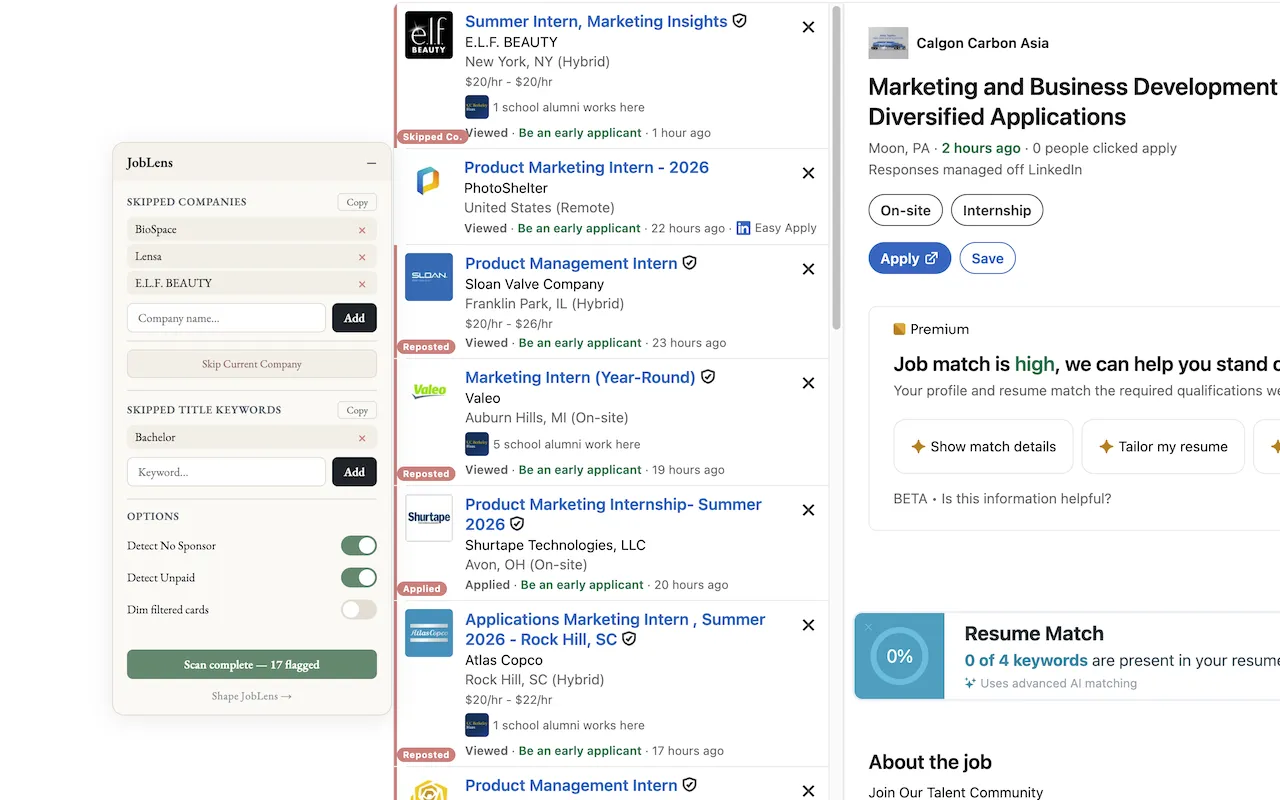
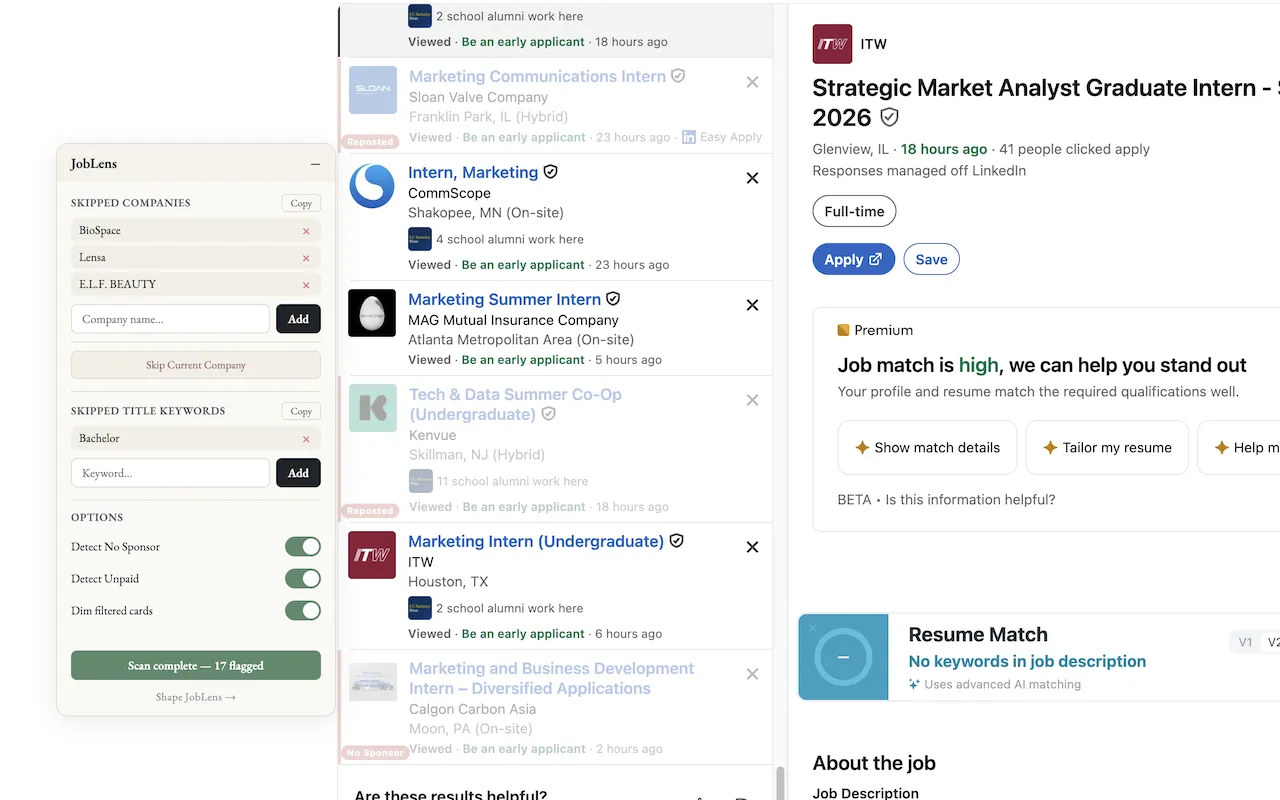
On LinkedIn's job search results page, Sift flags suspicious listings so you skip the ones not worth your time.
See It in Action
Get Started
- Install from the Chrome Web Store
- Visit LinkedIn — your feed is automatically cleaned up
- Go to Jobs → Search Results — cards are auto-flagged
- Click the Sift icon to adjust settings, view stats, or export data
- Hover any post to Unfollow the author with one click
How It Works
Reads page content directly in the browser. No external servers, no API calls. Everything runs locally. Your preferences are stored via Chrome's local storage.
Privacy
Sift runs entirely in your browser. No data is collected, transmitted, or stored externally. All preferences and stats stay on your device.
Full privacy policy →Open Source
Sift is open source under the MIT license. You can read every line of code, verify the privacy claims yourself, or contribute improvements.